
Best POS System for Craft Shows in 2026: 5 Options Compared

This article may contain affiliate links. We may earn a commission at no extra cost to you. How we earn money

In this article
The best POS system for craft shows depends on where you sell. For online and fair sales, choose Shopify POS, which includes casual in-person selling on every plan. For fair-only sales at the lowest start-up cost, choose Square: the Free plan is $0 a month and includes offline payments. Prices as of November 2026.
1. Best POS System For Craft Shows: At A Glance
A POS system for craft shows is designed to streamline inventory tracking, payment processing, and sales management. In addition, it is usually portable because craft events are outdoors and mobile, unlike traditional establishments with fixed installations.
Prices and fees as of November 2026, from each vendor’s own pages. "Not published" means the vendor does not list it on the pages we read.
| POS | Best for | Offline card payments | In-person card fee | Reader price |
|---|---|---|---|---|
| Shopify POS | Online and fair sales | Optional, with limits; not with Tap to Pay | Not published | $49 tap and chip reader, none with Tap to Pay on a phone |
| Square | Fair-only sales, lowest start-up cost | Every plan, up to 24 hours | 2.6% + 15 cents on Free, 2.4% on Premium | $59 tap and chip, first magstripe reader free |
| ConnectPOS | Own hardware, per register pricing | Offline mode from the Standard plan | Not published | Not sold |
| Artisan POS | Fine craft shop counter | Not published | Not published | Not published |
| MaxxPay POS | A quote from Kurv | Not published | Not published | Not published |
A $20 sale at the fair on Square Free costs 67 cents in fees: 2.6% of $20 is 52 cents, plus 15 cents. That is our arithmetic from Square’s published in-person rate.
2. Best POS For Craft Shows Review: Our Top Picks
The best POS systems for craft shows in 2026 are:
- Shopify POS: Best for omnichannel selling
- Square POS: Best for a cloud-based system
- ConnectPOS: Best for device compatibility
- Artisan POS: Best for local and physical business operation
- MaxxPay POS: Best for a quote from Kurv.
2.1. Shopify POS: Best for Omnichannel Selling
Best for | Selling online and at fairs |
Monthly software fee | From $19 a month billed yearly; POS Pro is optional, $89 per location |
Hardware cost | $49 for a tap and chip reader, none with Tap to Pay |
Feature Highlights | ✔️ Online Store Integration ✔️ Omnichannel Support |
Shopify POS works well for craft show vendors who also sell online. It connects to Shopify’s online store, so inventory and sales data stay in one place. Its extensive toolkit facilitates performance monitoring, efficient inventory control, and support for several payment options.
2.1.1. Pricing
Casual in-person selling is included in every Shopify plan. As of November 2026, plans start at $19 a month billed yearly, or $25 a month billed monthly. Shopify POS Pro adds $89 per location per month, billed yearly. Read our Shopify POS Pro comparison.
Card fees: Shopify’s POS pricing page does not list an in-person card rate for Shopify Payments. It lists 2% on Basic, 1% on Grow and 0.6% on Advanced for third-party payment providers. Check your plan’s Shopify Payments rate before you commit.
2.1.2. Features
- Online Store Integration: To sell handcrafted goods, you can set up online channels in addition to your physical storefronts. Shopify also lists in-store pickup and email carts among its omnichannel options.
- Omnichannel Support: For effective eCommerce integration, this POS system keeps one inventory across your channels. This allows you to deliver a consistent experience regardless of where customers interact with your business.
- Plug-and-play Setup: To meet the special requirements of fast setup since craft shows operate under strict time constraints. This system offers you simple plug-and-play setup, minimal hardware requirements, and easy software installation to get things up quickly.
2.1.3. Hardware
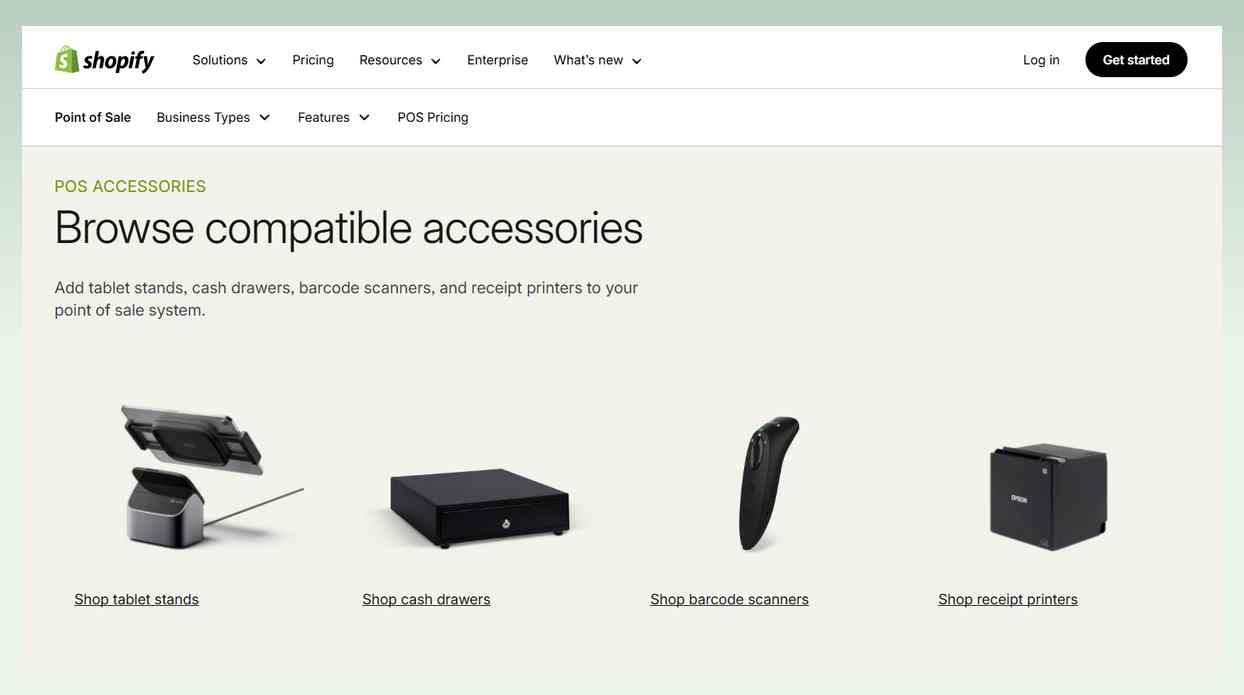
Shopify does not list hardware prices on its POS pricing page. Its hardware store lists the Tap and Chip Card Reader at $49 (US store, as of November 2026). For pop-ups and events, Shopify says a smartphone and Tap to Pay might be all you need, so a phone can start with no reader at all. A full counter setup adds a tablet, card reader, receipt printer, barcode scanner and cash drawer.
2.1.4. Payment method
- Shopify Payments
- Cash
- Credit/debit cards
- Digital wallets
- Gift cards
2.1.5. Suitable and Not suitable for
- It is SUITABLE for craft businesses that want to sell online and at the booth from one inventory.
- It is NOT SUITABLE for craft businesses that want advanced offline functionalities.
2.1.6. Pros & Cons
2.2. Square POS: Best for Cloud-Based System
Best for | Selling only at fairs, lowest start-up cost |
Monthly software fee | From $0 |
Hardware cost | First magstripe reader free, $59 for tap and chip |
Feature Highlights | ✔️ Cloud-based system ✔️ Offline mode |
One of the best options for POS systems for small businesses in outdoor craft markets and fairs is Square POS. Through an intuitive user interface, Square provides capabilities including sales tracking, inventory management, and customizable receipts.
2.2.1. Pricing
💲Monthly software fees (per location, as of November 2026):
- Free: $0
- Plus: $49 (lower card fees, loyalty rewards, staff management)
- Premium: $149 (lowest card fees, advanced reporting, 24/7 phone support)
Above $250,000 a year in card sales, Square offers custom pricing through its sales team.
💲Card fees on Free, Plus and Premium:
- In-person (tap, dip or swipe): 2.6% + 15 cents, 2.5% + 15 cents, 2.4% + 15 cents
- Online: 3.3% + 30 cents on Free, 2.9% + 30 cents on Plus and Premium
- Keyed-in or card on file: 3.5% + 15 cents on every plan
2.2.2. Features
- Cloud-based system: Craft shows don’t take place in just one place. In response to this issue, this POS system’s cross-platform functionality facilitates mobile transactions with its small card reader, which connects to smartphones and tablets with ease.
- Offline mode: Offline payments are included with every Square plan. They are processed when you reconnect, and they are declined if you do not reconnect within 24 hours of the first offline payment. The first-generation Square Reader for contactless and chip does not support them.
- Reporting: The Premium plan adds advanced reporting for deeper insight into your sales.
2.2.3. Hardware
Square hardware prices, as of November 2026:
- Square Reader for contactless and chip: $59
- Square Reader for magstripe: first reader free
- Square Terminal: $299
- Square Stand: $149
- Square Handheld: $399
- Square Register (2nd generation): $899
2.2.4. Payment method
- Cash or check
- Visa, Mastercard, American Express and Discover cards
- Tap, dip or swipe card payments
2.2.5. Suitable and Not suitable for
- It is SUITABLE for small craft businesses or start-ups looking for a cloud-based solution.
- It is NOT SUITABLE for craft businesses that process over $250,000 a year and want the lowest card fees. Ask Square for custom pricing first.
2.2.6. Pros & Cons
2.3. ConnectPOS: Best for Device Compatibility
Best for | Own hardware, pay per register |
Monthly software fee | $49 per register on the monthly plan; $39 on the yearly plan |
Hardware cost | Not sold |
Key features | ✔️ Offline mode ✔️ Loyalty program (Advanced and up) |
With a portfolio of features designed to meet the flexible and changing needs of temporary retail setups, ConnectPOS is one of the best options for pop-up shop point-of-sale systems. It positions itself as an essential tool for streamlining transactions in every popup scenario with an exceptional experience for both buyers and sellers.
2.3.1. Pricing
ConnectPOS prices per register, as of November 2026. Monthly plan first, yearly plan second:
- Standard: $49 on the monthly plan or $39 on the yearly plan
- Advanced: $79 on the monthly plan or $69 on the yearly plan
- Premium: $99 on the monthly plan or $89 on the yearly plan
- Enterprise: get a quote
The Standard plan lists real-time sync and offline mode. ConnectPOS does not list card fees on its pricing page, so ask it and your payment provider what you will pay per transaction.
2.3.2. Features
- Offline mode: ConnectPOS says it switches to an offline mode when the internet is disconnected, so you can keep taking transactions. The Standard plan lists it.
- Loyalty program: Loyalty program support is listed from the Advanced plan, so you can reward repeat buyers at the next fair.
- Payment gateways: The Standard plan lists unlimited payment gateway support. Advanced adds partial and gift card payments.
2.3.3. Hardware
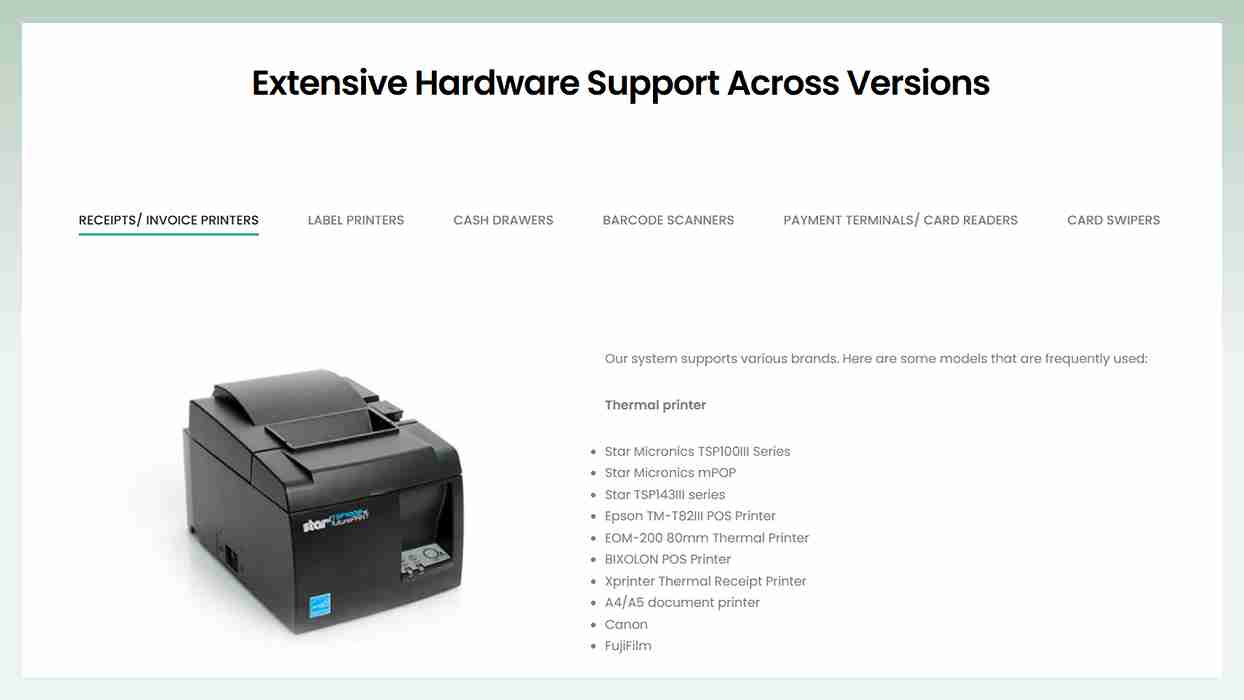
ConnectPOS does not sell hardware. Its software works with many brands, and it publishes a list of compatible hardware.
2.3.4. Payment method
- Payment gateways (unlimited, from Standard)
- Partial and gift card payments (Advanced and up)
2.3.5. Suitable and Not suitable for
- It is SUITABLE for craft businesses operating their business on different devices.
- It is NOT SUITABLE for craft businesses that don’t want to purchase hardware from other providers.
2.3.6. Pros & Cons
2.4. Artisan POS: Best for Local and Physical Business Operation
Best for | Fine craft shop counter |
Monthly software fee | Not published |
Hardware cost | Not published |
Feature Highlights | ✔️ Product Variants Management ✔️ Special Orders |
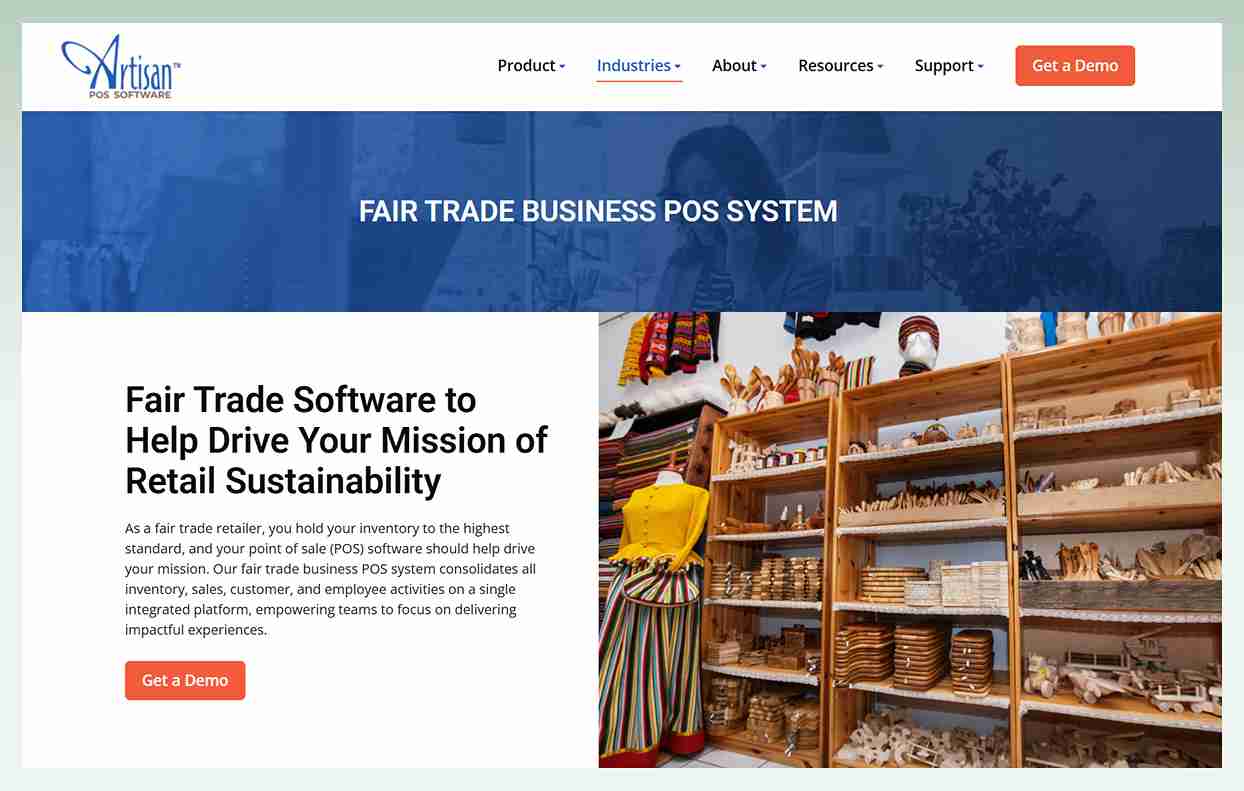
CerTek lists Fine Craft among the industries Artisan serves. The software covers inventory with variants such as color and size, special orders, a loyalty club and payment processing.
2.4.1. Pricing
CerTek does not publish Artisan POS prices on its product page, and its pricing page asks you to fill in a form. It offers a one-time purchase ("Buy once, keep Artisan forever") or three pricing modules, Basic, Standard and Premium, with custom plans. Contact CerTek for a quote.
2.4.2. Features
- Product Variants Management: You can effectively handle a variety of craft supply sizes, colors, and varieties while maintaining precise stock levels for each variation. Thus, you can make sure that popular items are consistently available for sale.
- SKU and Labeling: Artisan’s automatic numbering schemes help you create SKUs and label your inventory.
- Special Orders: You can create special and custom orders for customers, such as personalized goods or items that you don’t stock and must ship from the artist.
2.4.3. Hardware
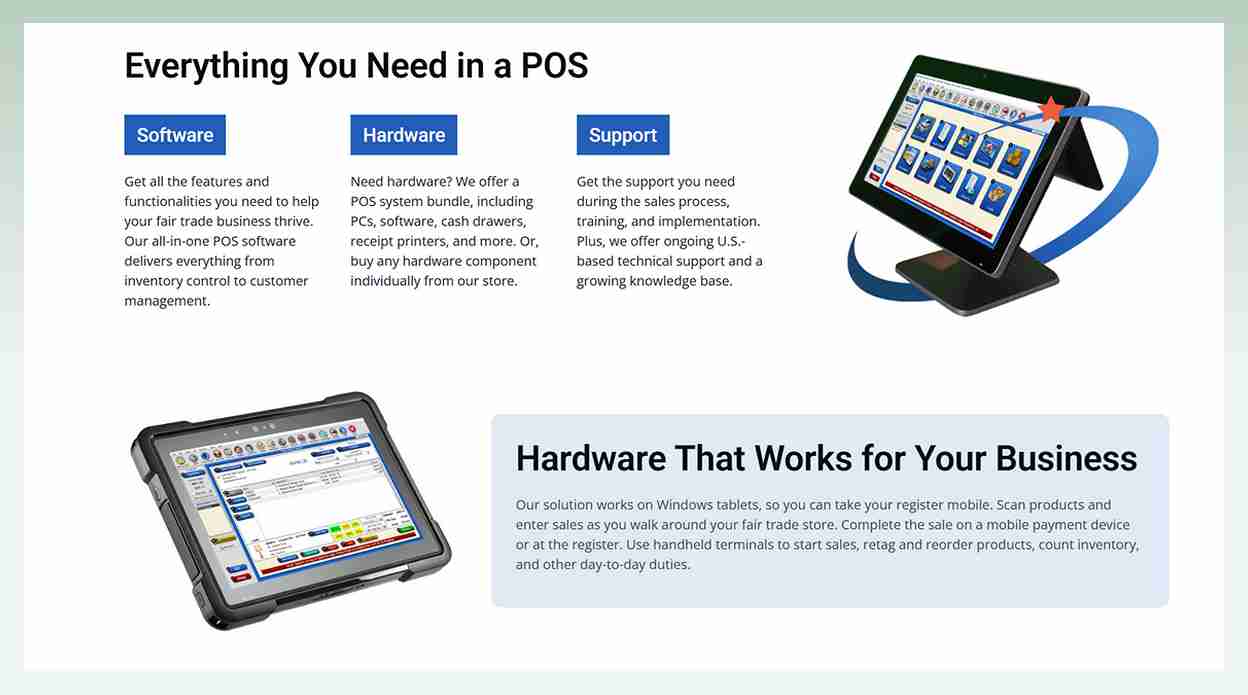
Prices for this best POS for craft shows’ hardware are not displayed. They offer a POS system bundle, including PCs, software, cash drawers, receipt printers, and more. Or, you can buy any hardware component individually from their store.
2.4.4. Payment method
- Credit and debit cards, including EMV chip
- NFC payments such as Apple Pay and Google Wallet
- EBT and card on file for repeat billing
2.4.5. Suitable and Not suitable for
- It is SUITABLE for small and midsize craft businesses operating locally and physically.
- It is NOT SUITABLE for craft businesses that want a phone-only setup, since Artisan is built for Windows and Mac.
2.4.6. Pros & Cons
2.5. MaxxPay POS: Best for High-risk Payment Processing.
Best for | A quote from Kurv |
Monthly software fee | Not published |
Hardware cost | Not published |
Feature Highlights | Not confirmed on Kurv’s site |
MaxxPay POS was sold by Electronic Merchant Systems (EMS), which is now Kurv. The features, hardware and payment methods below come from the old EMS page, and neither they nor the high-risk label in the heading are confirmed on Kurv’s site today. We found no current price list, so contact Kurv for a quote.
2.5.1. Pricing
MaxxPay prices are not published. Contact Kurv for a quote that covers the software, the hardware and the contract terms.
2.5.2. Features
- EMSmobile: You can quickly turn your tablet or smartphone into a portable payment processing station with EMSmobile. You won’t lose potential clients to the next craft table because it can accommodate several consumers at once and process payments quickly and effectively.
- Gift Cards: Selling need not be restricted to people who attend craft shows. With gift cards, you may convert a one-time show buyer into a devoted patron. The gift cards are tailored to the appearance and style of your creative enterprise.
- Custom Email Invoicing: You can send an invoice via email after customers make a payment online. It eliminates the need for papers and customers can use it as evidence in case they want to return items.
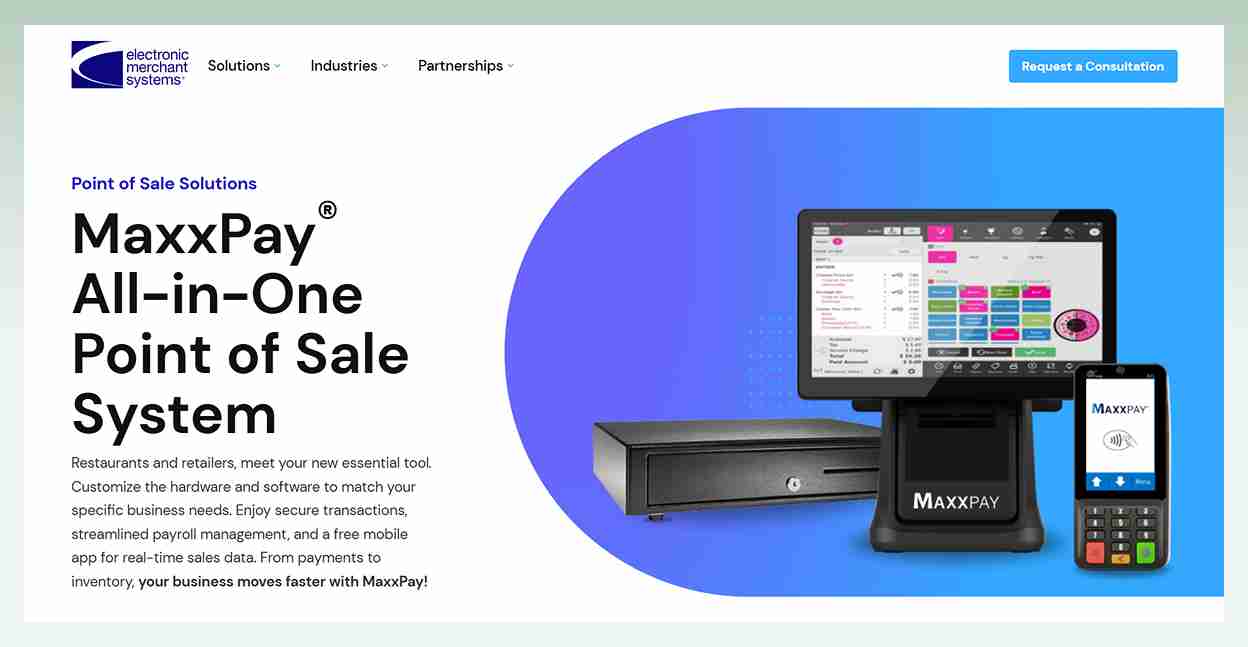
2.5.3. Hardware
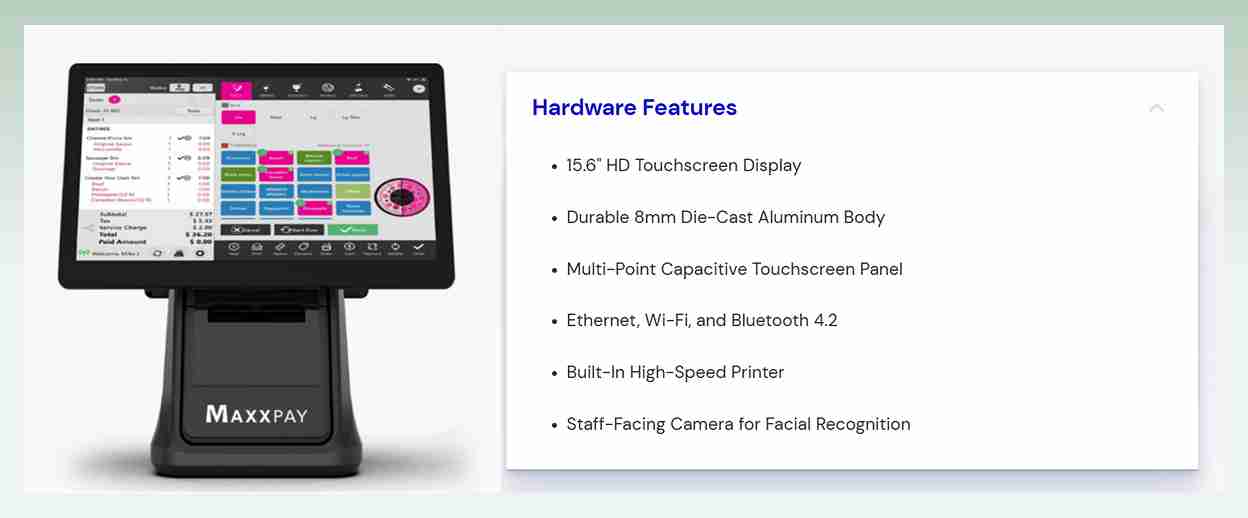
No prices are disclosed for the MaxxPay POS hardware but below is a look at what you’ll get:
- Touchscreen Display
- Credit Card Terminals
- Mobile handheld terminal
- High-Speed Printer
- Cash Drawer
2.5.4. Payment method
- Cash
- Credit cards
- Magstripe
- Smart Card EMV Chip
- Contactless payments
2.5.5. Suitable and Not suitable for
- It is SUITABLE for craft businesses that are willing to contact Kurv for a quote before they decide.
- It is NOT SUITABLE for craft businesses that need to see prices before they call.
2.5.6. Pros & Cons
3. How Do I Choose The Best Pos System For Craft Shows That Fit My Specific Needs?
Choose by seller type. If you sell online and at fairs, start with Shopify POS. If you sell only at fairs, start with Square. Then test any POS on three points before you pay: does it take card payments offline, what fee does one sale cost, and what does the reader cost.
Use these steps to run the three tests:
3.1. Identify Your Needs
Think about your craft business name, size and type. Do you manage several vendors, or are you a lone vendor with a modest stand? You can reduce your alternatives by being aware of your unique needs.
You might not need all the bells and whistles if you’re just getting started. However, you’ll want something that can manage the tasks if you’re managing a busy booth with a team.
3.2. Research Vendors
It’s time to evaluate several craft show POS systems, taking features and costs into account. Spend some time comparing the many POS systems available because they are not all made equal.
In addition, research reviews and ask about before relying solely on the company’s word! Speak with other craft market merchants to find out what they use and what aspects of their systems they enjoy or dislike. You’ll get practical knowledge that will enable you to make a better choice.
3.3. Request Demos/Trials and Plan the Implementation
To make sure the POS registers for craft shows on your shortlist are user-friendly and match your needs, you could test them out with trials and demos. Make sure the POS system can easily interface with the applications you now use, including accounting programs and online shopping carts.
Once you’ve selected your favorite, try creating a thorough implementation plan that includes a schedule, employee training, data migration, and system testing to reduce business interruptions.
After that, you may run a pilot test, track the system’s performance, get input from employees and clients, and make any necessary adjustments to maximize functionality.
4. Final Verdicts
Each best POS system for craft shows in this list has its own strengths and weaknesses. That makes them a more suitable option in certain cases than the others.
Here is our verdict to help you find the right one:
- Shopify POS: Choose it when you sell online and at fairs. Casual in-person selling is included in every plan, and one inventory serves both channels. Skip it if you only sell at fairs, since you still pay for a Shopify plan.
- Square POS: Choose it when you sell only at fairs and want the lowest start-up cost. The Free plan is $0 a month, offline payments are included, the first magstripe reader is free, and a tap and chip reader is $59.
- ConnectPOS: Choose it when you want per-register pricing from $49 on the monthly plan, offline mode and your own hardware. It does not sell hardware.
- Artisan POS: Choose it when you run a fine craft shop with a counter on Windows or Mac and you are ready to ask for a quote. In our view it is too much for a weekend booth.
- MaxxPay POS: Choose it only when you want a quote from Kurv to set beside Shopify and Square. We found no current prices or contract terms, so confirm both before you buy.
5. Conclusion
Choose Shopify POS if you sell online and at fairs, and Square if you sell only at fairs. Pick ConnectPOS if you bring your own hardware, Artisan POS for a fine craft counter, and MaxxPay only after you hold a quote from Kurv.
With the eComStart picks above, you can now compare your options on offline payments, fee per sale and reader price.
6. FAQs


